The distributor
Buys the app. Wants it to look like their brand, cost little, and add no work for their team.
 Vunley Long
Contact
01 — Problem
Most mid-market distributors and manufacturers don't have a team to build and run a native app, so they fall behind larger competitors who do.
Many of these companies already sold online through Insite's eCommerce platform. We saw an opening: if the platform offered a ready-made app, customers could have one without hiring a mobile team.
I was the product designer on a team of six, with a PM, a PO, and three developers. I worked on the project for two years, from client interviews through prototyping and usability testing to a beta release.
Goal
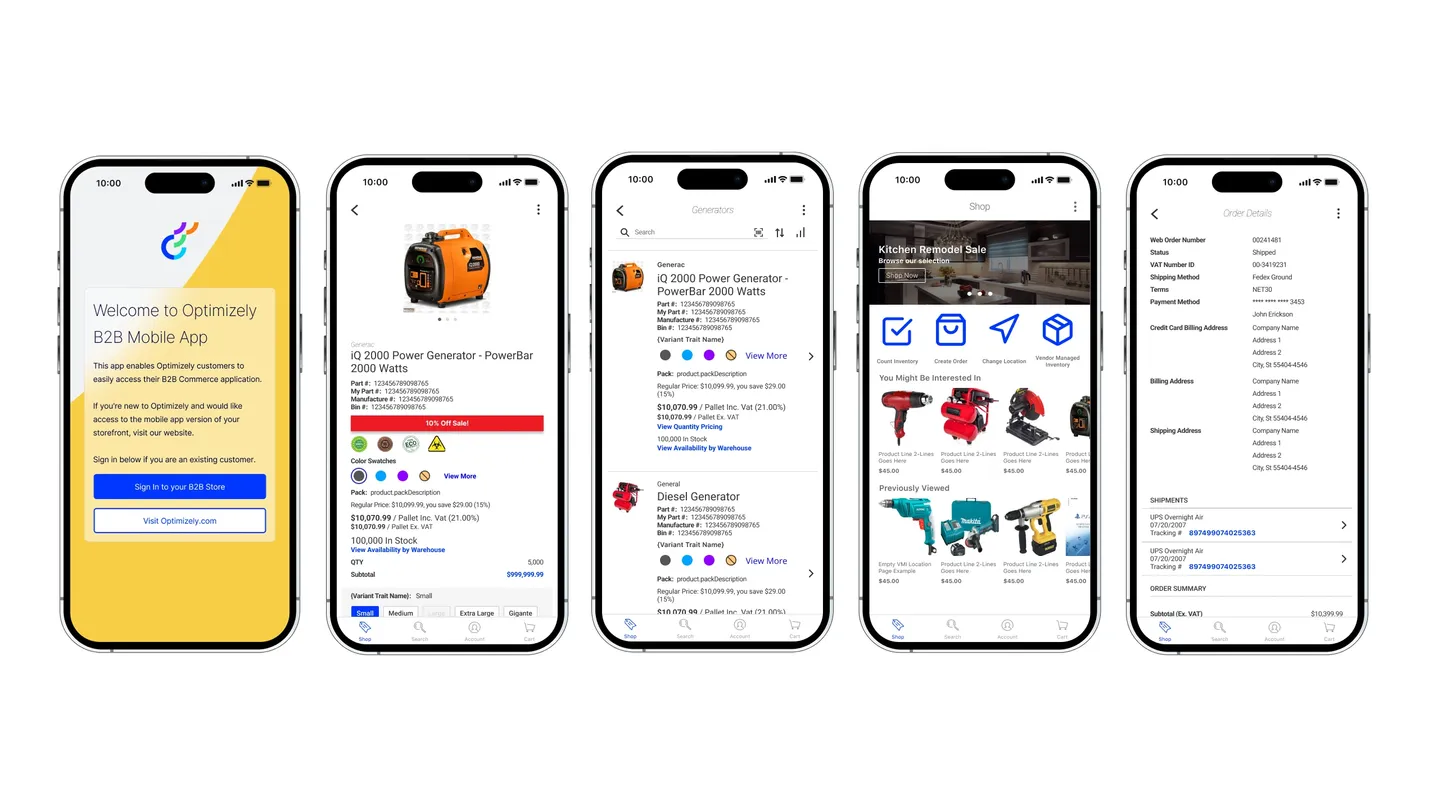
Design a white-label native app that mid-market companies can brand as their own, that works with the web store they already have, and that our team can maintain for every customer at once.
Two groups would use the app, and they wanted different things:
Buys the app. Wants it to look like their brand, cost little, and add no work for their team.
Uses the app every day, often on the road. Already knows the web store and expects the app to work the same way.
Distributors wanted control over how the app looked. Reps needed it to feel like the store they already knew. Our team needed to keep one codebase working for every customer. Most design decisions came down to balancing those three.
02 — Research
In client interviews, the biggest concern was the time and money it takes to build, launch, and maintain a native app.
That meant our team would have to manage the app completely, app store listings included, and the app would have to extend each customer's web store, not replace it.
Design, development, custom workflows, and app store upkeep add up fast. Most mid-market companies don't have the people or the budget for any of it.
Large competitors can afford their own native apps. Without one, mid-market companies look behind to the buyers they share.
Sales reps often visit places with no signal: rural customers, underground warehouses, sometimes both. In those places, submitting orders through the website just doesn't work.
03 — User testing
I ran usability studies with a clickable prototype. Three findings shaped the rest of the project.
04 — Key decisions
Each decision gave up some flexibility in exchange for something our team could support for every customer.


Instead of rebuilding checkout natively, we embedded each customer's existing web checkout in the app. Their custom payment gateways and shipping methods worked with no extra development.
The tradeoff was a checkout that felt less native than the rest of the app. We accepted that so the app could support every customer's setup.
Our team managed each customer's app listing, so customers never had to deal with app stores.
To make that scale, I built a PSD template that automatically generates all the app store assets and in-app artwork for each customer.
05 — Outcome
Offline support was cut for time, even though lost signal was one of the biggest problems reps described. It's the first thing I'd tackle: let reps build orders without signal and send them once they reconnect.
I'd also set beta success metrics up front, such as adoption per customer and orders placed in the app, so the results would be easy to measure.
What I learned
The hardest part was saying no. Giving customers full control over layouts felt like the user-centered answer, but limiting it is what let a team of six keep one app working for everyone.
Next project — 05
Levitated Dispensaries →